 BoxitApp
Colour-code by room
Give the kitchen boxes one colour and the loft boxes another, then tell whoever is carrying them where each colour goes. Tags like Fragile, Heavy and Unpack First travel with the box too.
Photograph what you own, decide what to keep, and pack it into boxes you can search from your phone.

A marker pen gives you four boxes that all say KITCHEN. Not one of them tells you which has the kettle in it, and the tape is already on.
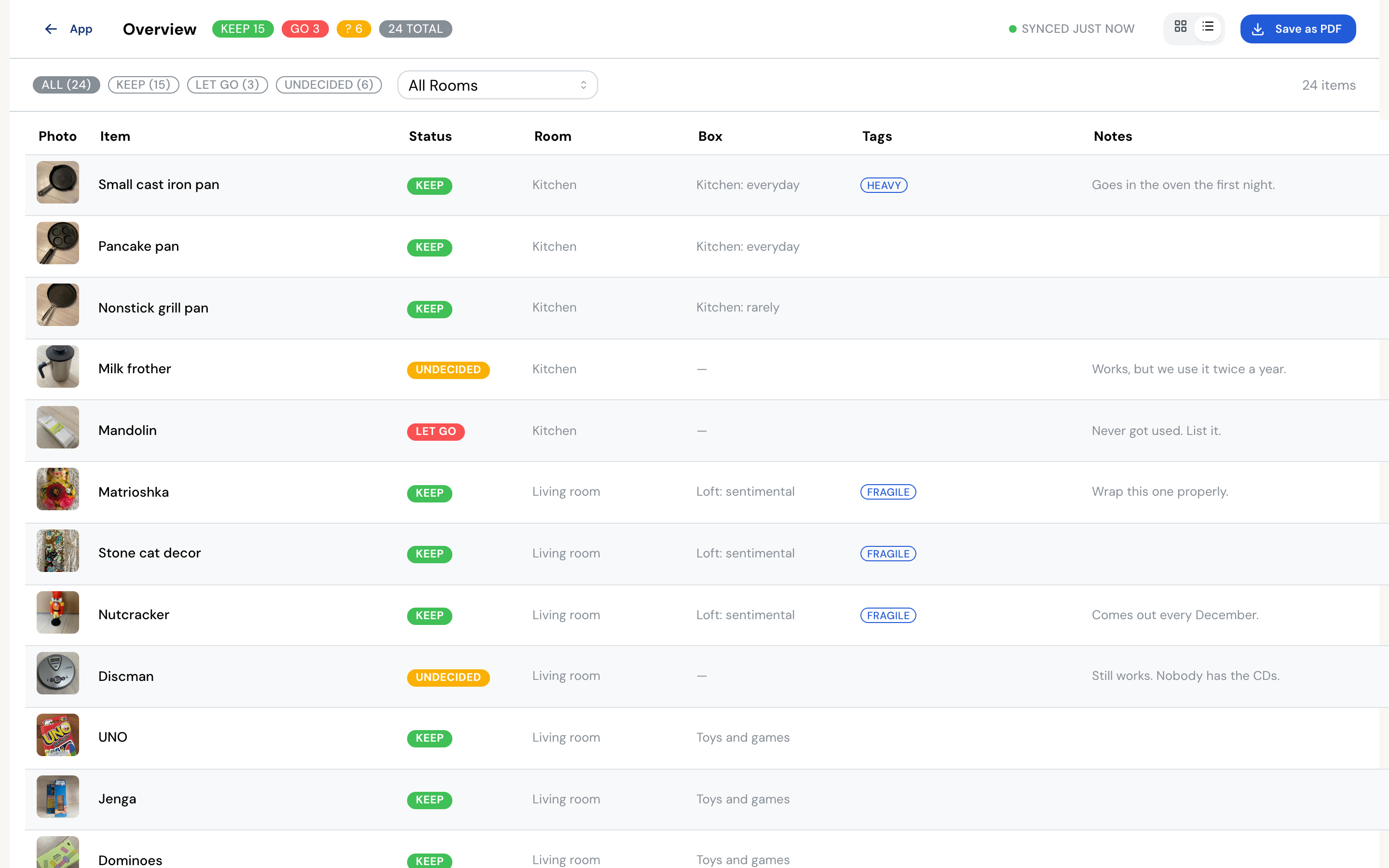
Every item, the room it belongs to, the box it went into, and whether you have made your mind up about it yet. Filter it, then save the lot as a PDF for moving day.
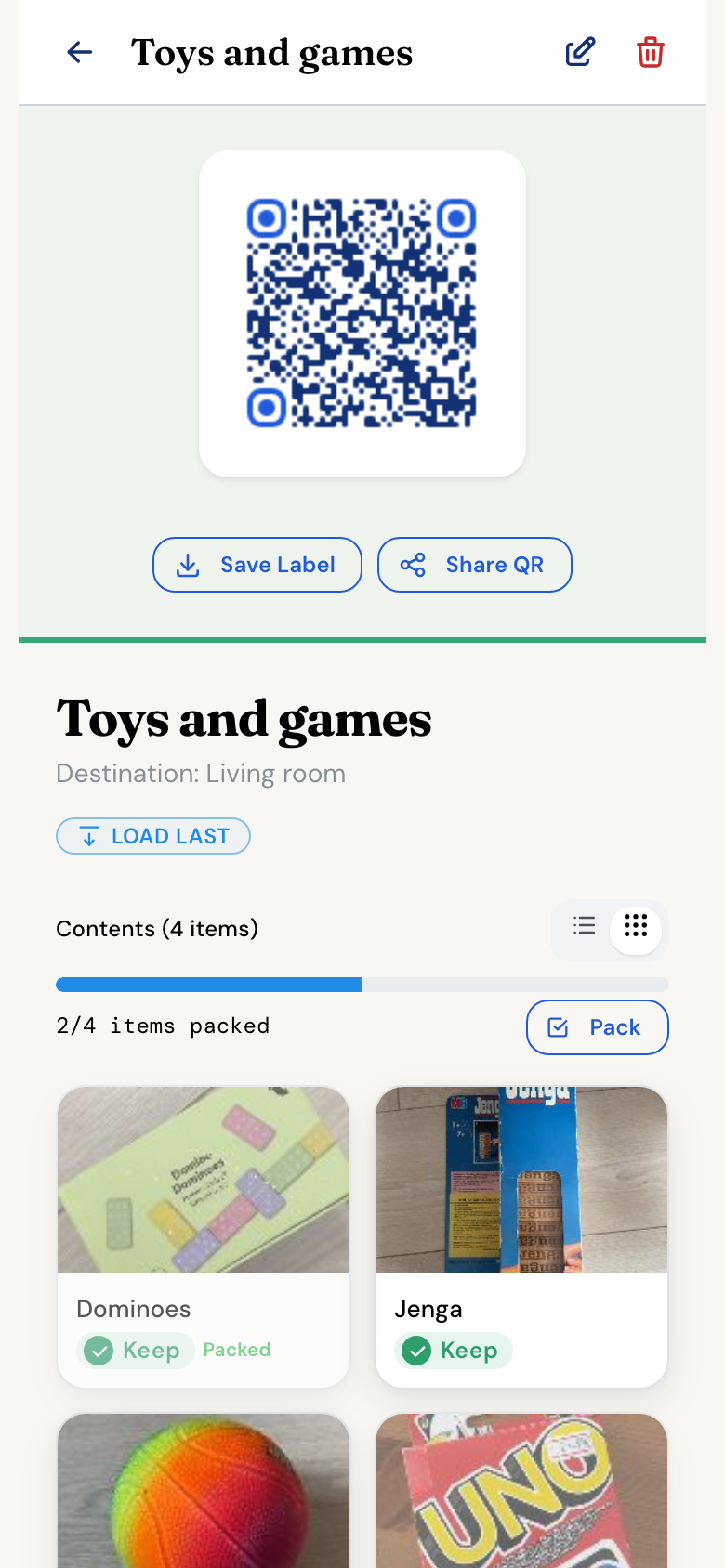
Every box carries its own code. Point a camera at a sealed box and the contents list opens on your phone.
Each box gets a number and a code. Ordinary paper and a home printer are enough.
Tape straight over the top of it so it survives the van and the weather.
Read what is in a box without cutting a single strip of tape.
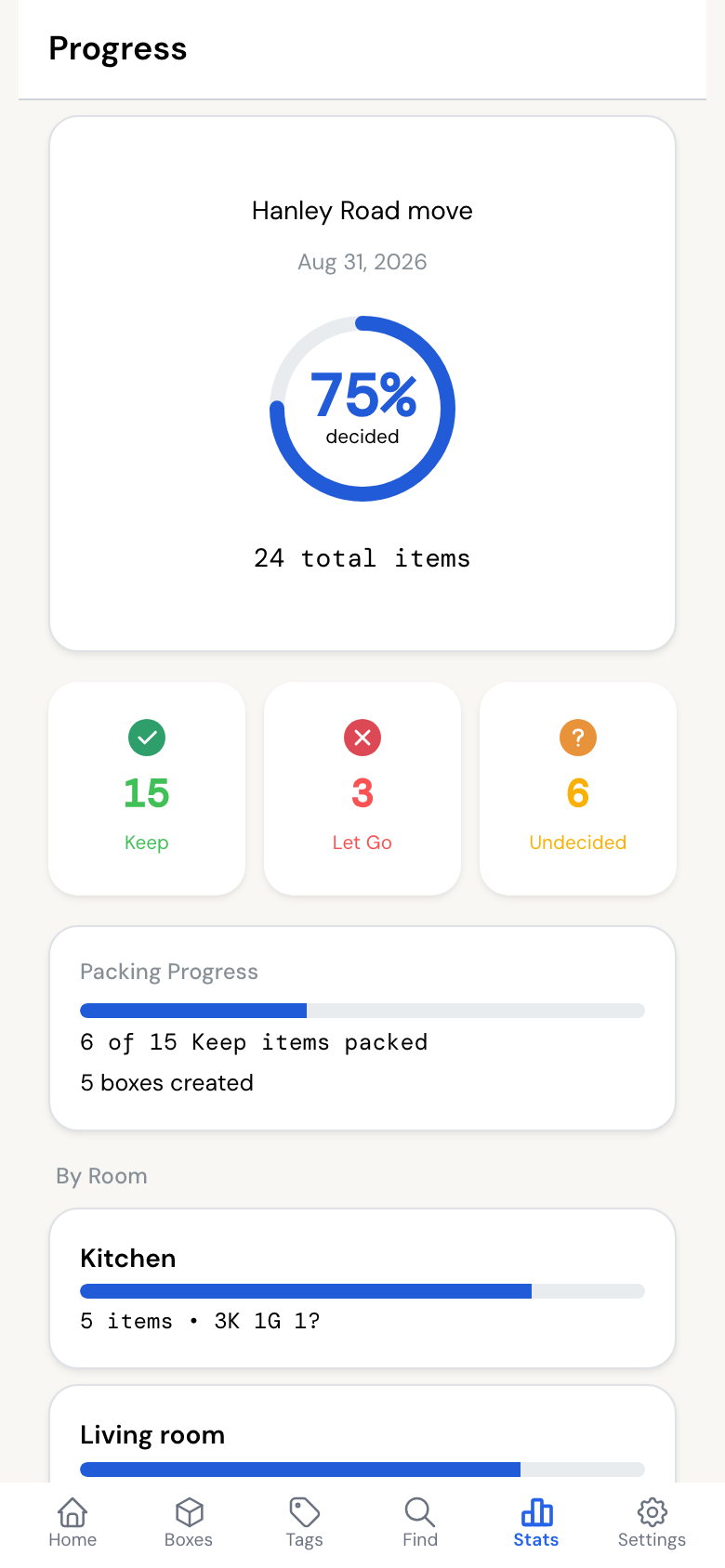
Mark each thing keep, undecided, or let go. What you let go never gets packed, never gets carried up the stairs, and never has to be dealt with again.
Give the kitchen boxes one colour and the loft boxes another, then tell whoever is carrying them where each colour goes. Tags like Fragile, Heavy and Unpack First travel with the box too.
Lofts, cellars and removal vans have no wifi. Everything you record is saved on the device first and syncs on its own once you have a connection again.
Invite whoever you are moving with. You each see the same boxes filling up, from whichever room you happen to be standing in.

It goes out through TestFlight by invitation while it settles down. Leave your email and you get one when the next round of places opens.
No invitation needed for the web app. Open it now.
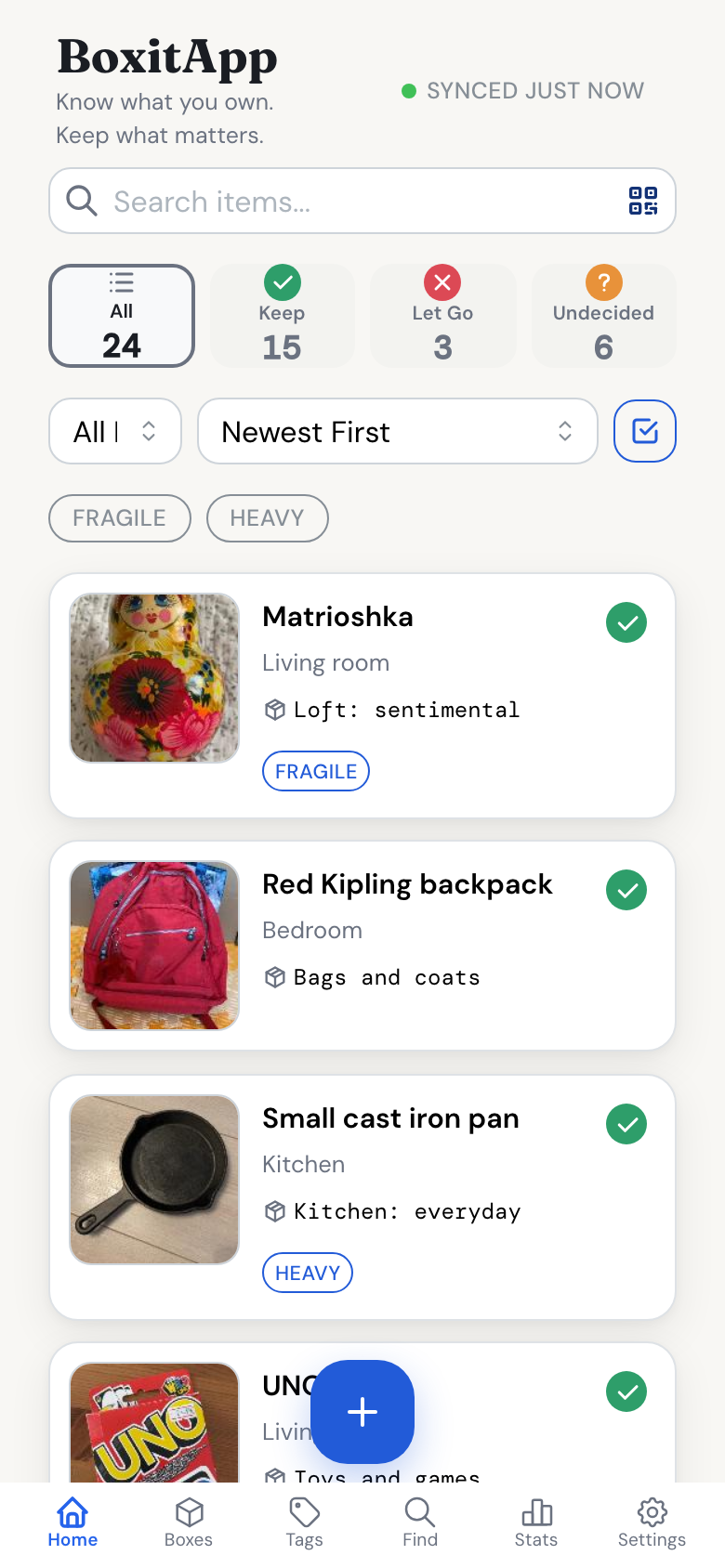
BoxitApp is a free home inventory app for moving house. You photograph your belongings, decide what to keep or let go, and pack items into boxes that get printable QR labels. Scanning a label shows exactly what is inside that box, so you never open five boxes to find one thing.
Every box you create gets its own QR label, which you can save, print, and stick on the physical box. Scanning the label with the app's Find tab, or with the iPhone camera, opens that box's live packing list — its contents update as you pack and unpack.
Yes. BoxitApp is free to use on the web and on iPhone, with no ads. You can export your full inventory as CSV or JSON at any time.
Yes. Your inventory is stored on your device and keeps working without a connection — useful in basements, storage units, and moving trucks. Changes sync automatically the next time you are online.
Yes. Invite anyone by email and you both see and edit the same inventory, so the whole household packs from one list. The same inventory shows up on the web app and the iPhone app.
Yes. Settings has a Delete Account action that permanently removes your account, items, photos, and boxes from our servers. You can export everything first, and the privacy policy explains exactly what is stored.
Open BoxitApp in a browser or add it to your home screen. The same inventory shows up on both.